



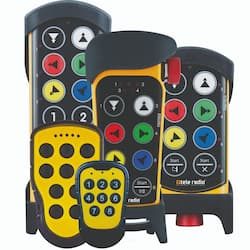



The replacement function makes the process quick and simple. You won’t need to touch the receiver. This tutorial walks you through it step by step.
You will need:
- The old transmitter’s code (Replace ID).
- The new transmitter, within range of the receiver.
Time required: 5 minutes
Replacing a Panther Transmitter
- Have the Replace ID of the transmitter you want to replace on hand
The Replace ID is a seven-digit code printed on a label on the back of the transmitter. If you’ve lost it, you can look up the number in your records or contact us for help.
- On the new transmitter, press and hold the bottom-right button (Start) while pulling out the emergency stop button
- Open the transmitter menu
To open the transmitter menu, press button 1 once, then button 2, then button 3, and then button 4. All the LEDs will start flashing.
- Open menu 3
Press button 3 to open the Replace option. LED 2 will start flashing.
- Enter the Replace ID of the old transmitter
Use the transmitter buttons to enter the Replace ID. IMPORTANT: Press and hold the button for the last digit and, while holding it, press the emergency stop button to turn off the transmitter and confirm the change.
- The old transmitter will no longer be paired with the receiver, and only the new transmitter will work





 Tele Radio supports the world wide preservation of the Tiger with WWF.